
How to reopen a finalised consultation for amendment
Use this process when an approved correction is required after a consultation has been finalised.
Where to find finalised consultations
Open the client record and select the finalised consultation you need to review.
Before you begin
- Confirm that you have opened the correct client and consultation.
- Check that the change is allowed under your clinic’s clinical record policy.
- You must be the visit operator to use Reopen for amendment in the current workflow.
- Prepare the reason for the change if your clinic requires one.
Finalising makes the consultation read-only. Reopen it before making an amendment.
Prescription and sale locks are separate. Notes cannot be edited after the prescription is signed, and products cannot be edited after the sale is complete.
Step 1 – Open the finalised consultation
Open the client’s finalised consultation and review the existing information.
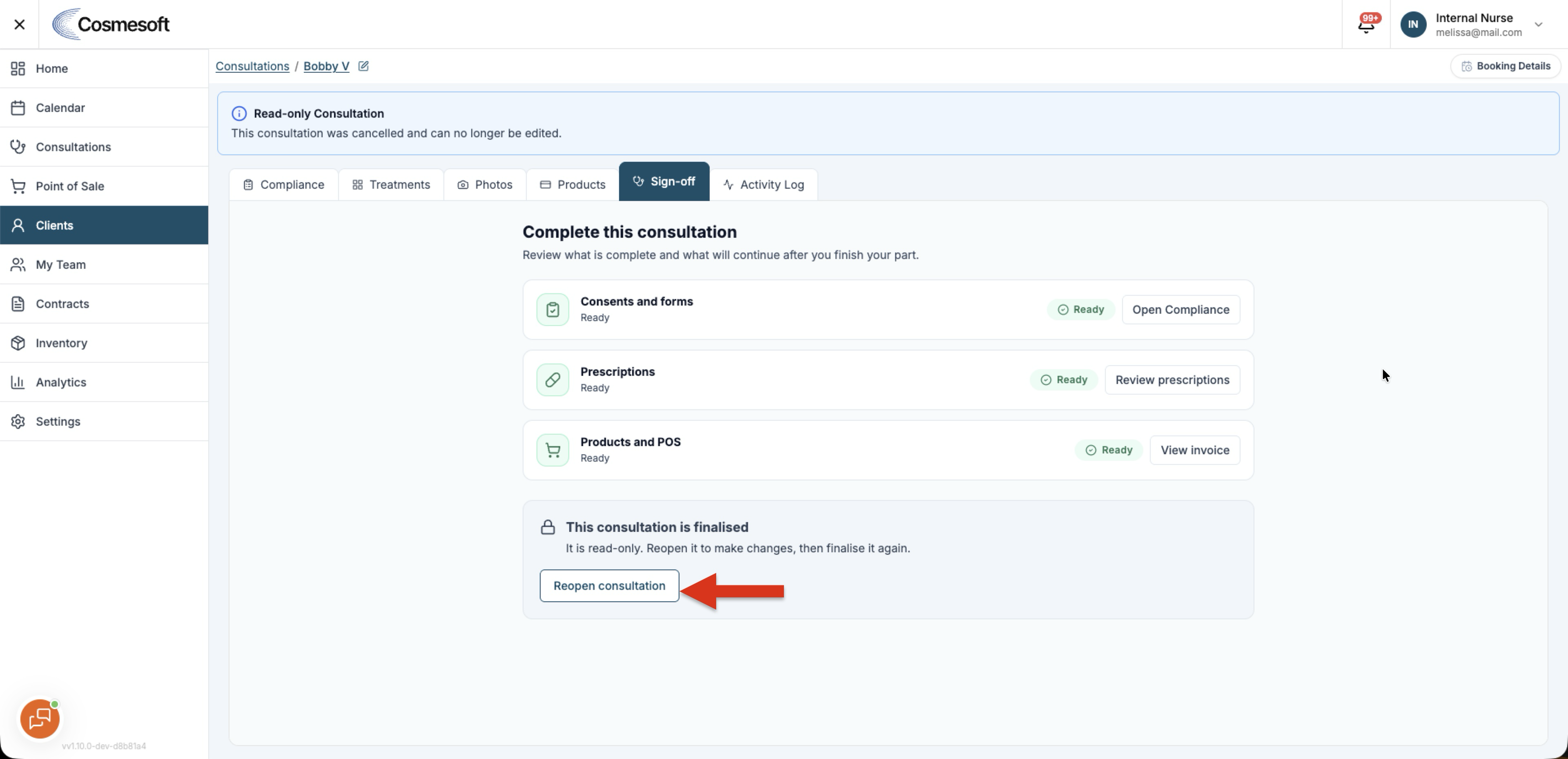
The Sign-off tab shows:
This consultation is finalised. It is read-only until it is reopened for amendment.
Step 2 – Reopen the consultation
Select Reopen for amendment.
The consultation returns to an editable state and the Sign-off readiness rows become available again.
Step 3 – Make the correction
Update the required information. Avoid changing unrelated parts of the consultation.
The earlier practitioner checkpoint may no longer be valid after a change. Review Sign-off again before finalising.
Step 4 – Save the changes
Save the change and wait for confirmation that it has been recorded.
Open Sign-off and review Consents and forms, Prescriptions, and Products and POS.
If required work is still waiting on another person, select Finish my part. When every required row is ready, select Complete treatment and confirm Finalise consultation.
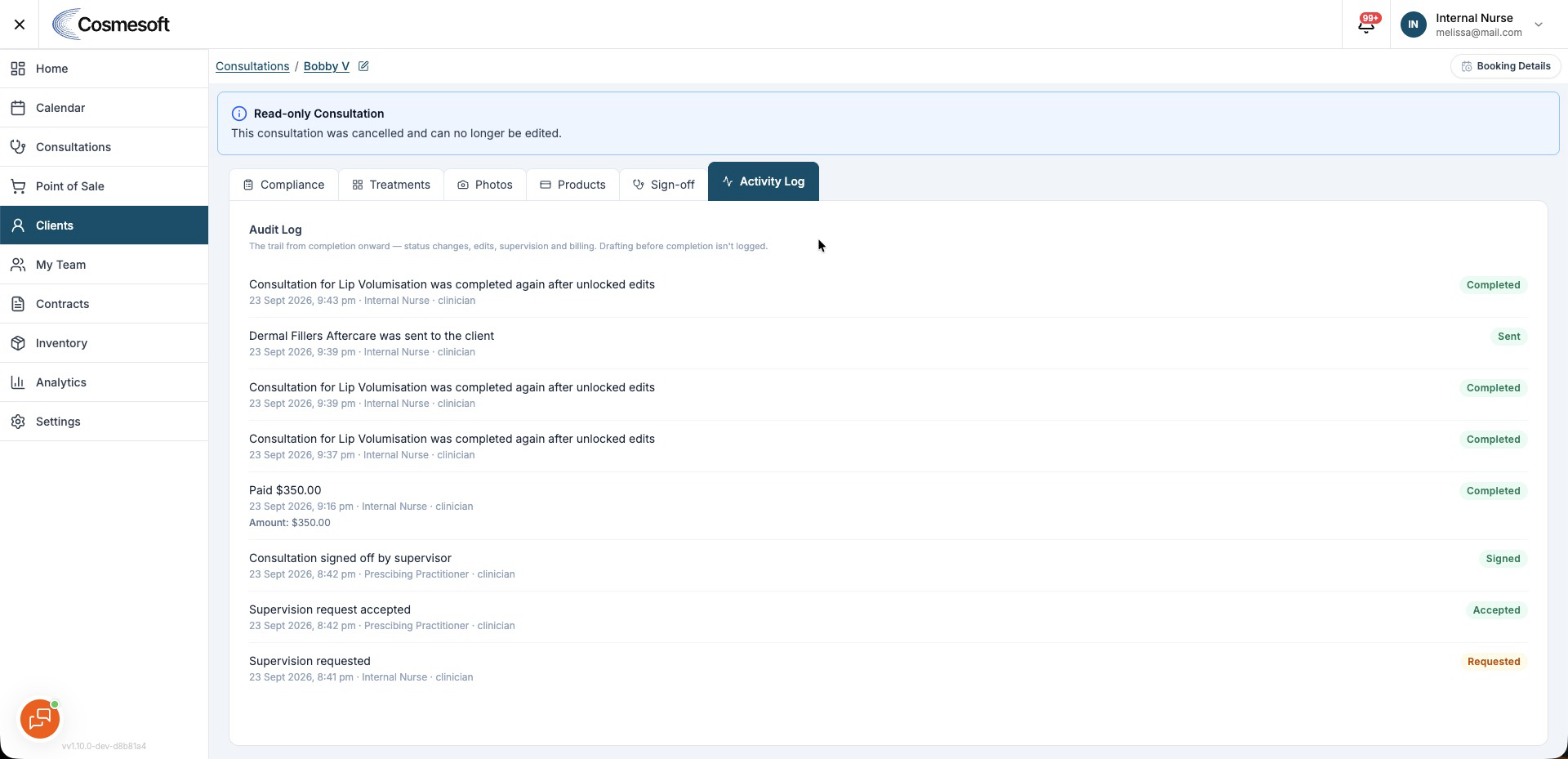
Step 5 – Check the history
Open Audit Log and confirm that the amendment, author, date, and changed values were recorded.
What to do next
Review the finalised consultation once more to make sure the correction is accurate and the required Sign-off is complete.