
About Booking Appointments
About Booking Appointments
Booking Appointments into the Calendar is the core feature in Cosmesoft that lets your team schedule, manage, and deliver client services efficiently—across locations, staff, and services. From the Calendar, you can see each practitioner’s day at a glance, open any booking, and manage everything from services and status through to client details and launching a consultation.
Whether you’re co-ordinating a busy clinic or managing a single practitioner’s day, Booking Appointments helps ensure every client is in the right place, at the right time, with the right team member.
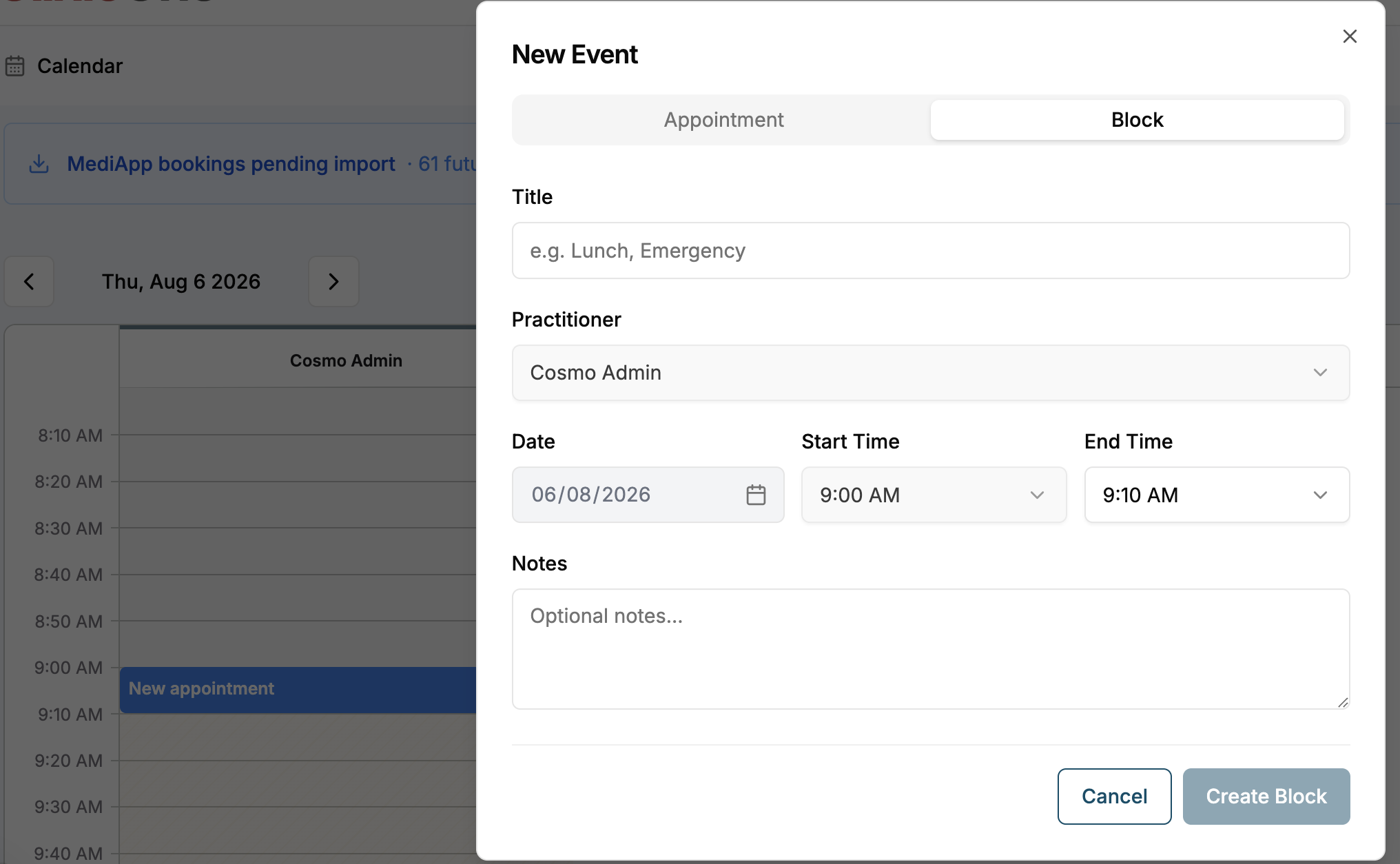
When to use Booking Appointments
Use Booking Appointments and the Calendar whenever you need to:
- Schedule a new client visit or service.
- View, update, or reschedule existing bookings.
- Coordinate appointments across multiple locations or practitioners.
- Track appointment status (e.g. Confirmed, Arrived, Cancelled, No Show).
- Ensure all services, staff, and resources are allocated correctly for each appointment.
- Start the consultation workflow at the right time from the booking.
What you can do in Booking Appointments
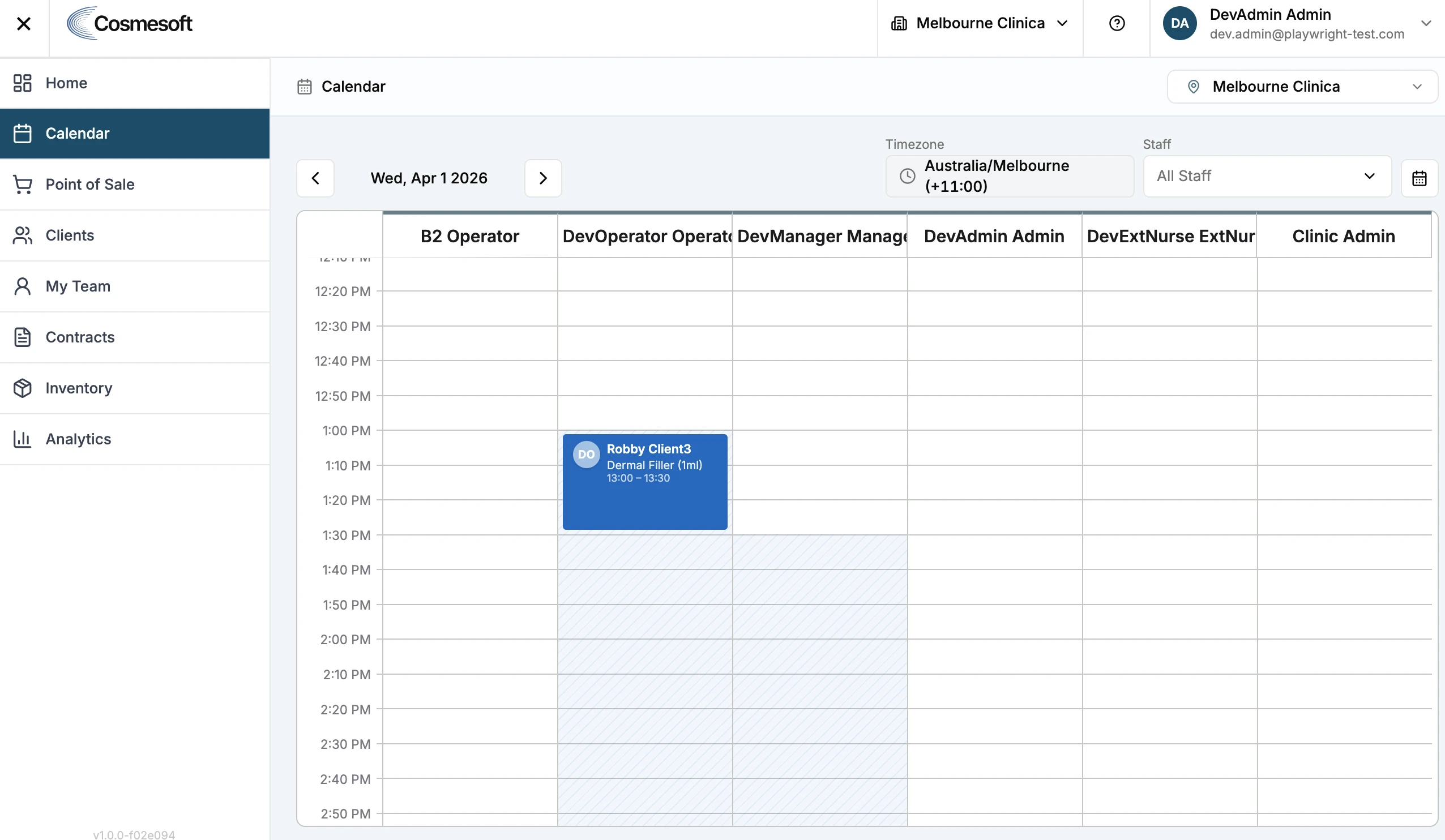
See your day at a glance in the Calendar
- View the schedule by day, with each practitioner in their own column.
- Switch Location to see another clinic (for multi-site businesses).
- Filter by Staff to focus on all staff or a specific practitioner.
- Each appointment block shows key details such as the client, primary service, time, and status.
Open and review a booking using the booking panel
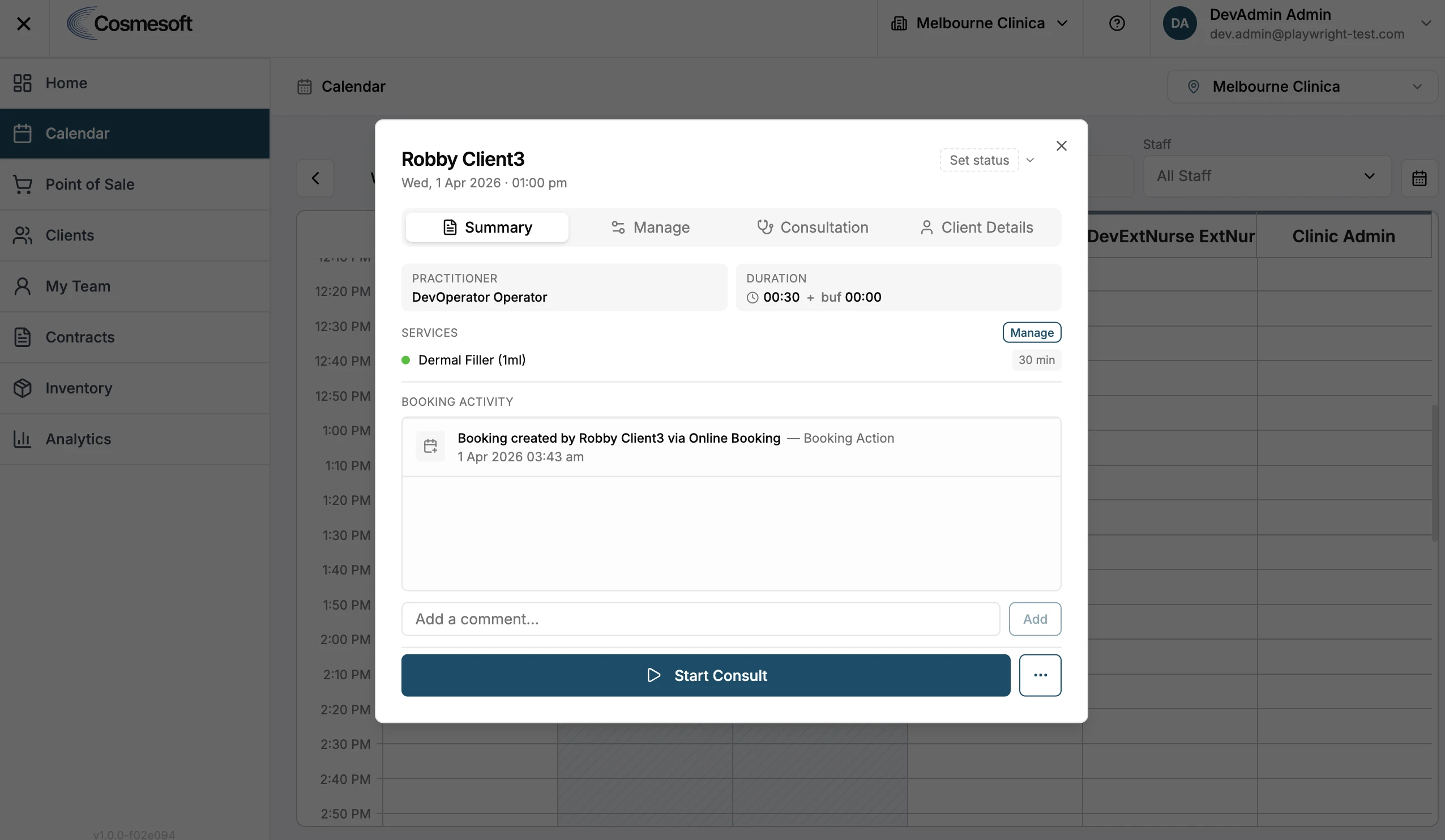
- Click an appointment in the Calendar to open the booking panel.
- The panel is organised into tabs:
- Summary – key booking details, practitioner, date/time, and booking activity.
- Manage – services, duration, buffer time, location, and booking notes.
- Consultation – treatment notes, forms, and scripts.
- Client Details – client information, contact details, balances.
Set and track appointment status
- Use the Set status control to mark appointments as Confirmed, Arrived, Cancelled, or No Show.
- The status legend helps you understand additional indicators on bookings.
- Statuses and indicators help your team see which clients have arrived, which bookings have been cancelled or missed, and what needs attention.
How Booking Appointments fits with the rest of Cosmesoft
Booking Appointments is tightly integrated with other core areas of Cosmesoft:
- Locations
Every appointment is linked to a specific location, ensuring the right rooms and resources are used and that bookings follow each clinic’s opening hours and settings.
- Staff and practitioners
Bookings are assigned to staff, and each practitioner appears in the Calendar, making it easy to see individual workloads and availability.
- Services
Appointments pull from your service catalogue, so you can allocate the right treatments and durations and keep service details consistent.
- Client records
Each booking is connected to the client’s profile, keeping things like appointment history, balances, loyalty, and contact details in sync.
- Consultation and clinical documentation
The consultation workflow and treatment notes are launched directly from the appointment, ensuring all clinical documentation is tied to the visit.
- Reporting and analytics
Appointment data feeds into business reporting, helping you track utilisation, revenue, cancellation and no-show rates, and client behaviour.
Related help
For step-by-step instructions and troubleshooting, see:
- How to Book an Appointment – How to Book an Appointment
- How to Manage Appointments in the Calendar –
How to Adjust Appointments in the Calendar
- Fix common Calendar and Appointment Management issues –
Fix Common Calendar and Appointment Issues in Cosmesoft