
About Online Booking
Online Booking lets clients book appointments directly with your clinic using your public booking site.
It works with your locations, services, practitioners, rosters, deposits and booking rules so the times offered online match the way your clinic operates.
What Online Booking covers
With Online Booking you can:
- Publish eligible services for clients to book.
- Show services under one or more booking categories.
- Offer appointment times based on practitioner availability and rosters.
- Collect deposits when required.
- Send booking confirmations and reminders to clients.
- Alert clinic staff when a new online booking is completed.
Client messages and staff alerts
Online Booking has two different types of communication.
Client communication
Client-facing booking settings can send confirmations and reminders by SMS or email according to your location settings.
Online Booking Alert for staff
Each location can also notify staff when a client completes an online booking.
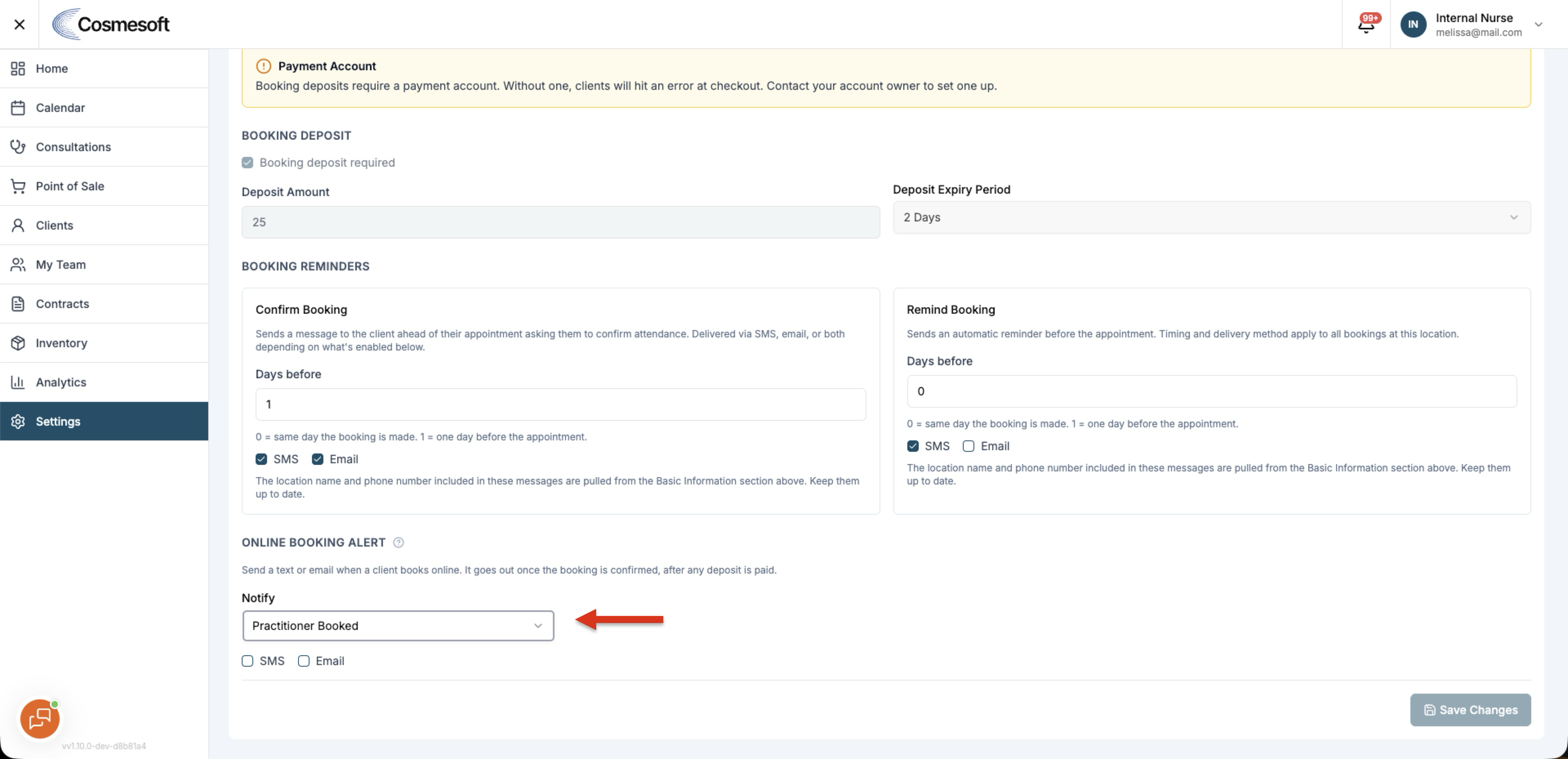
Online Booking Alert can send:
- SMS
- both SMS and Email
The alert can go to:
- the practitioner who was booked
- another selected active team member
This is separate from the confirmation and reminder messages sent to the client.
Online Booking Alert is configured per location and is off by default.
SMS alerts use message credits.
Services and categories
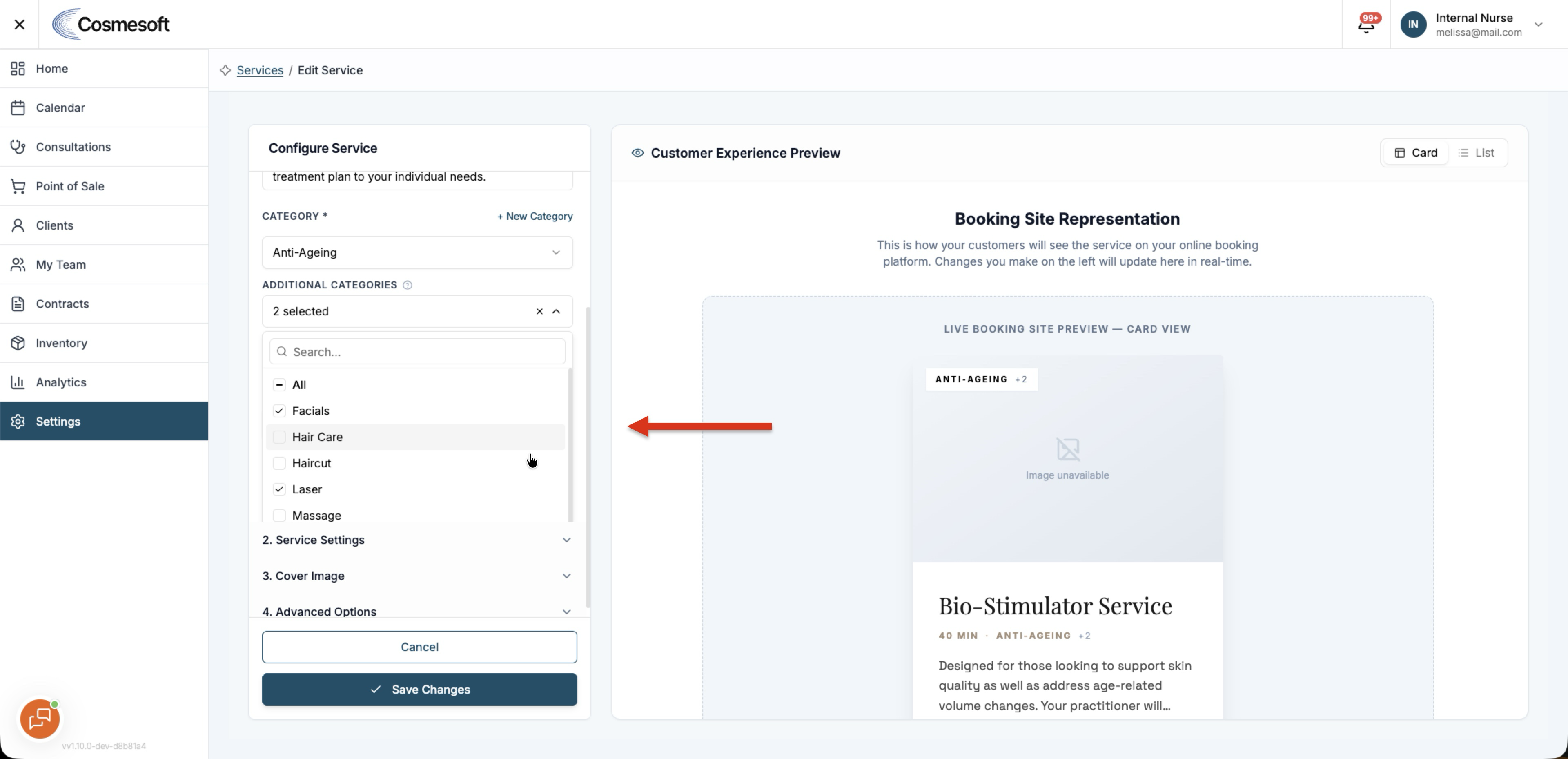
A service can appear under more than one category on the public booking site while keeping its primary category for internal use.
This can help clients find the same service through different booking paths without creating duplicate services.
How Online Booking fits into your workflow
- Services define what clients can book.
- Rosters control when practitioners are available.
- Locations hold booking settings and staff-alert preferences.
- Calendar receives completed online bookings.
- Deposits can be required before a booking is confirmed.