
How to manage loyalty points
How to manage loyalty points
Configure your clinic’s rewards program and track point balances for your clients.
Before you begin
Make sure:
- You have Admin or Owner access to change program settings.
- You have decided on your earning ratio (e.g., $1 = 1 point).
Step 1 — Configure your loyalty program
- Go to the top right User Profile → Settings → Loyalty Programme
- Select the Settings tab
- Programme Mode:
- Disabled disables Loyalty Points for this location and collapses all further settings.
- Own Programme - (Coming Soon) lets you create your own LP settings, even if part of a larger group.
- Group Programme - Set up by the Lead Group (common in franchises). Lead Group Admins configure LP settings here. - Group Earn Rate - Set points earned per $100 spent. This will display the value of a point.
- Group Minimum Spend - Set the minimum purchase amount to earn points.
- Click Save Settings.
[Insert screenshot: <filename> — Screenshot – Loyalty Settings: ratio and redemption rule fields highlighted]
Step 2 — Track Transaction History Related to Points
- Go to the History tab.
- View transactions that earned loyalty points. Optionally, search by client name or points status (redeemed or earned).
- Take note of the information and further investigate in the Client Profile or POS Transactions.
Step 3 — Track and adjust client points
- Go to the Client Balances tab.
- Search for a client to view a summary of their Loyalty Points status, including Current Balance, Total Accrued, and Total Spent.
- To manually add or remove points (e.g., for a special promotion), click Edit Balance (if permitted).
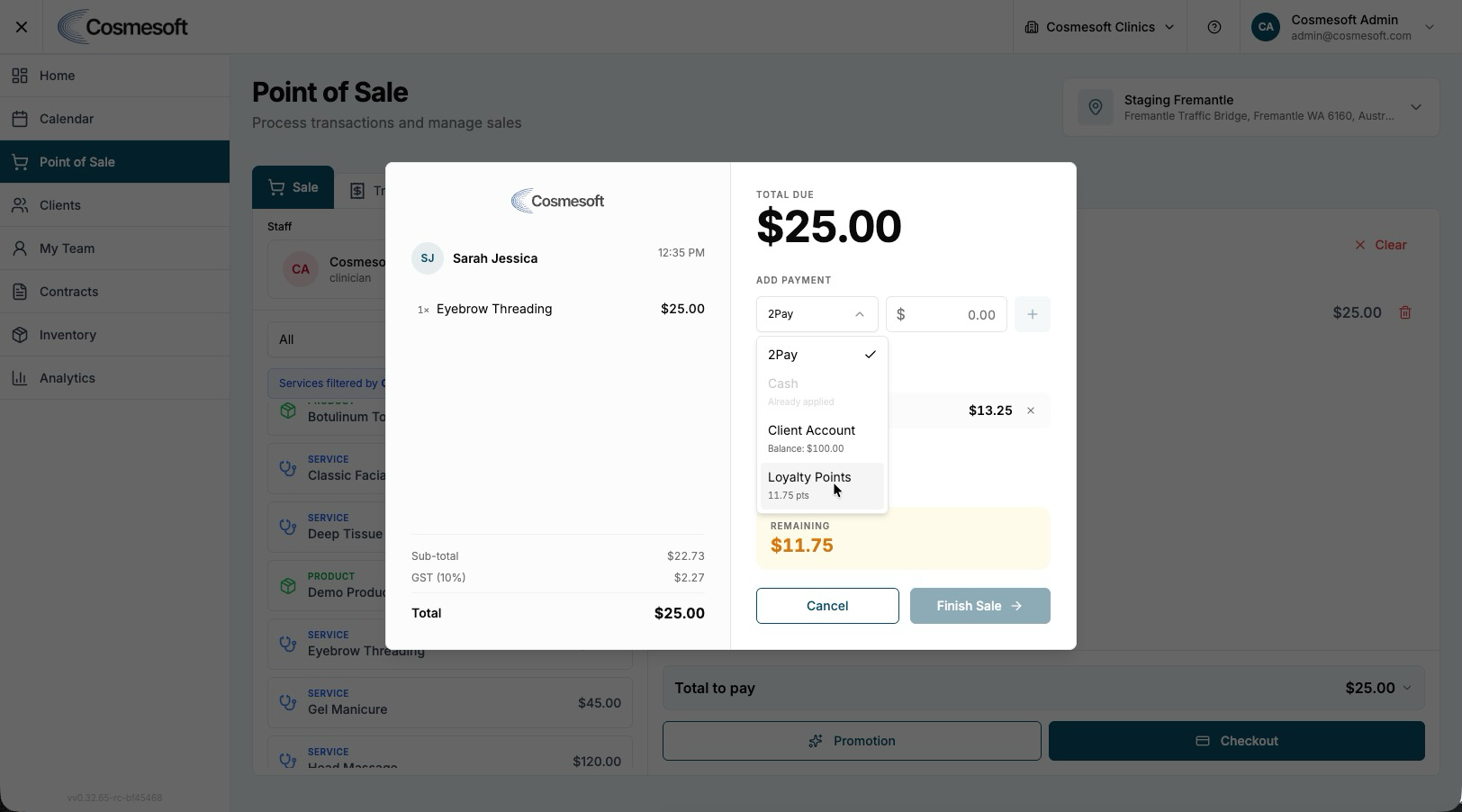
Step 4 — Redeem points at checkout
- In the POS checkout, select Checkout. Click the Add Payment drop down.
- Select Loyalty Points as the payment method.
- Enter the amount the client wishes to redeem (the system will show the equivalent dollar value).
- Click Apply.
- If a balance remains, select a second payment method (e.g., Card) to finalise the sale.
What to do next
Last updated: 9/13/26, 3:10 AM