
About My Team
My Team is the staff and collaborator directory for your business.
Use it to invite people, manage their business relationship, assign access and find the right team member for clinic work.
What My Team covers
Depending on the member type and your permissions, My Team can be used to manage:
- team member details
- capabilities
- locations
- services
- roster access
- clinical collaborator access
- prescribing capability
Find team members more quickly
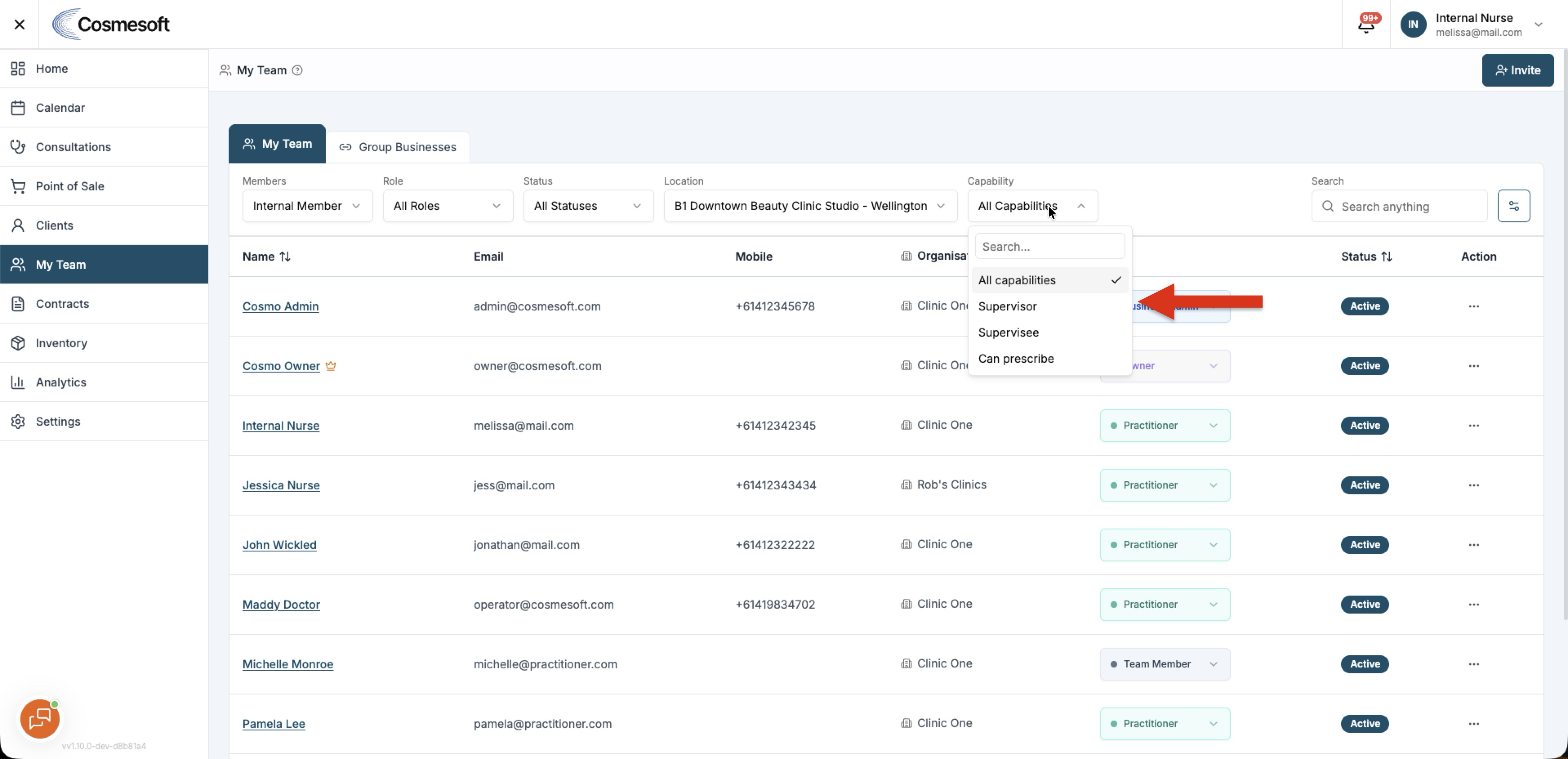
Use the available filters to narrow the list.
v1.10 adds Location and Capability filters so you can find people without opening each profile.
Location
Use Location to narrow internal team members assigned to a location in the current business.
Capability
Use Capability to find team members who can perform a particular type of work.
This is useful when you need to identify people with specific operational or clinical access.
Prescribers
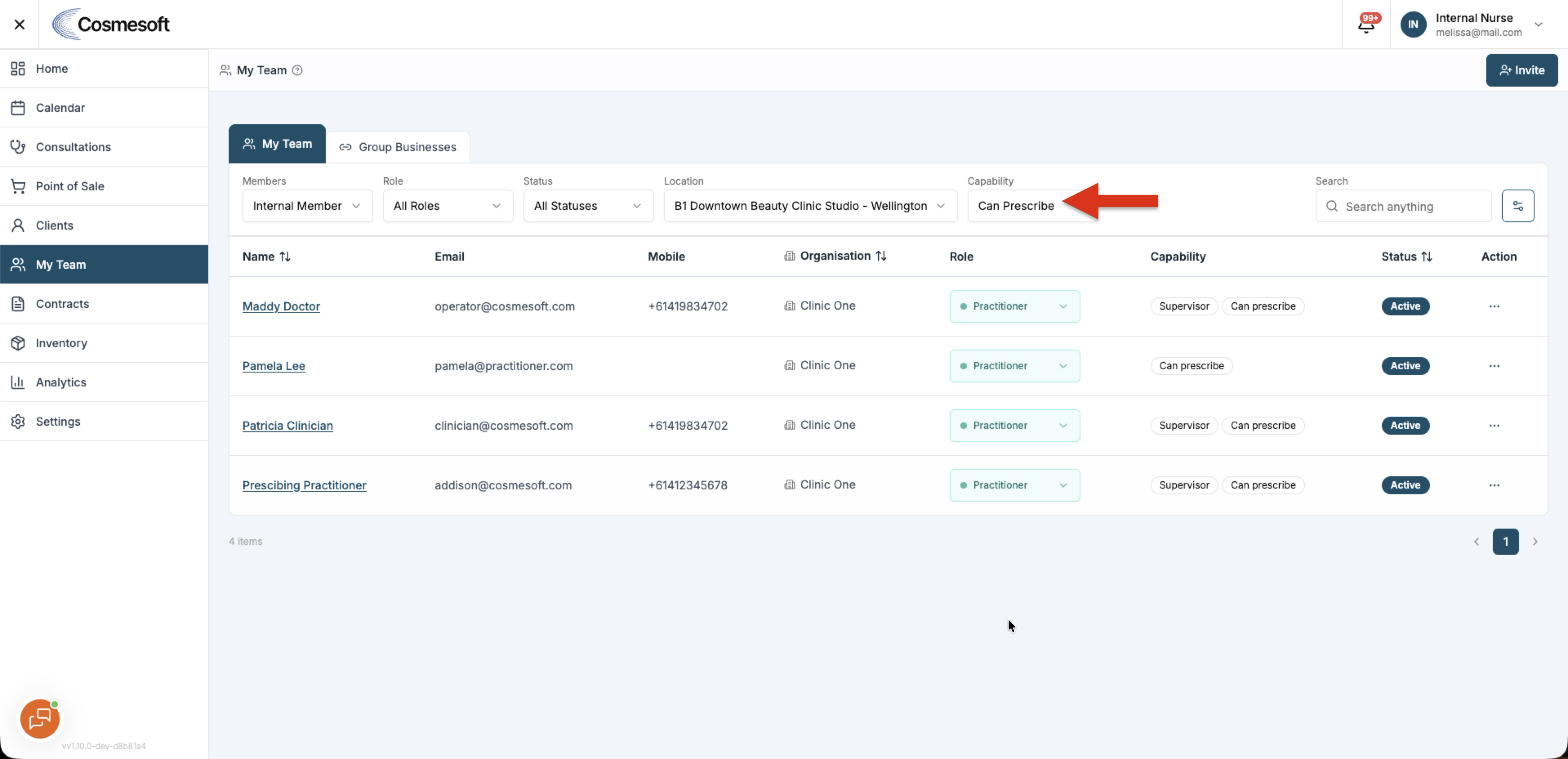
For a team member who should receive prescription requests, enable Can prescribe where appropriate.
Eligible prescribers can receive requests and use Scripts to Sign.
Clinical Collaborators and Shared Access
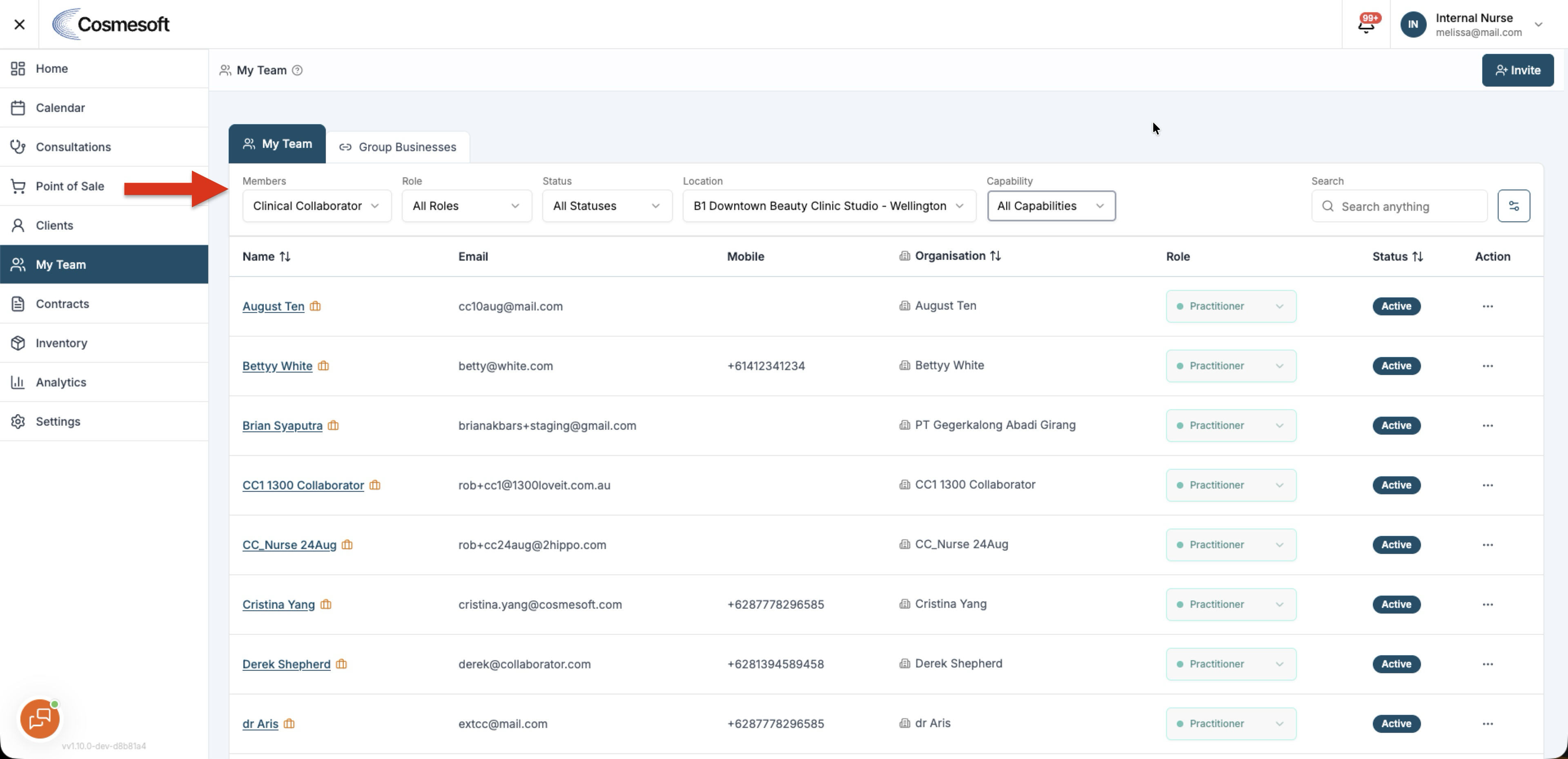
A Clinical Collaborator's access can be managed after the invitation has been accepted.
Open the collaborator in My Team, then open Shared Access.
Shared Access controls the services, forms and injectable treatment profiles the collaborator can use for your clinic.
Access provided by a service remains linked to that service. Directly shared items can be managed separately.
See How to manage Shared Access for a Clinical Collaborator.
Rosters and locations
My Team works with Rosters to determine who can be rostered at each location.
Roster access can be location-specific. Access at one location does not automatically provide roster access at another location.