
Fix common product issues
Fix common product setup issues
Use this guide to troubleshoot problems with product visibility, incorrect pricing, and automated reorder alerts.
If you are not sure how the inventory system works, start with About Products.
Problem 1 — Wholesale or Retail price is incorrect on reports
How you recognise it
Your profit reports look wrong, or the price at checkout doesn't match your current promo.
How to fix it
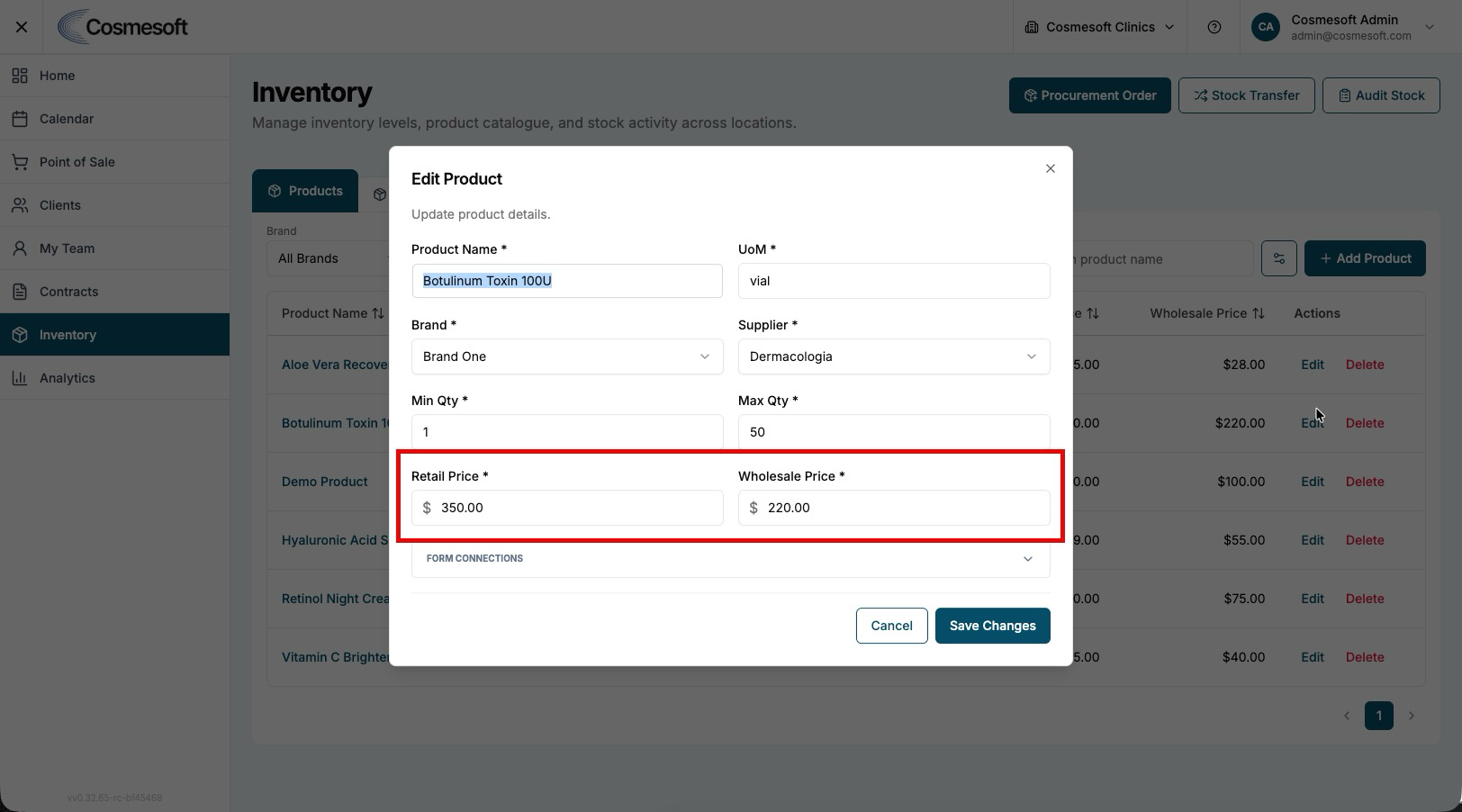
- Open the product and check the Retail and Wholesale Price Settings.
- Retail Price — Ensure this matches your latest price list. Note that this price is usually 'Tax Inclusive'.
- Wholesale Price — Ensure this represents the cost you pay to the supplier.
- Click Save to update the system.
Problem 2 — I'm not receiving low-stock alerts
How you recognise it
Your shelves are empty but you didn't receive a notification from the system.
How to fix it
- Check Thresholds — Open the product and ensure the Minimum Quantity is set higher than zero.
- Check Location Rules — Navigate to Settings > Locations > Stock Control tab. Verify that Stock Level Alerts are enabled for that specific site.
- Check Recipient — Confirm that the correct staff email address is listed in the 'Notify' field for that location.
Need More Help?
If your inventory quantities remain inconsistent after troubleshooting, your Clinic Manager or System Administrator can help perform a full Stock Audit.
Last updated: 9/5/26, 12:57 AM