
Favourite Products
Favourite Products
Favourite Products make it quicker and easier for both Operators and Reception staff to access commonly used Products. Flagging Products as Favourites ensures they appear at the top of the list for subsequent visits, saving time and increasing efficiency.
No setup is required to mark a Product as a favourite; it’s done directly by the operator or receptionist while interacting with the software, allowing for personalised customisation for each client.
Flagging a Favourite Product During a Consultation
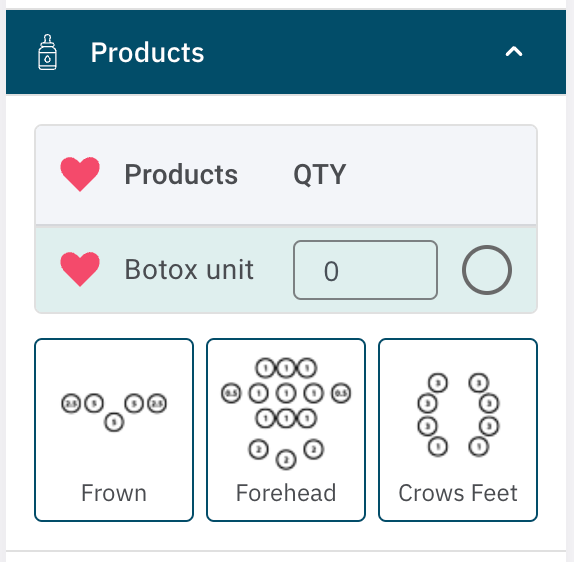
When writing a treatment note, the list of available products for the location will appear in the Product dropdown menu.
If the product list is lengthy, flagging a product as a favourite will move it to the top of the list on future visits.
To mark a product as a Favourite, click the heart icon next to the product name. The heart will turn red to indicate the product is now a Favourite.
To remove a product from Favourites, simply click the heart again, and it will revert to its black outline.
Flagging a Favourite Product at the Point of Sale (POS)
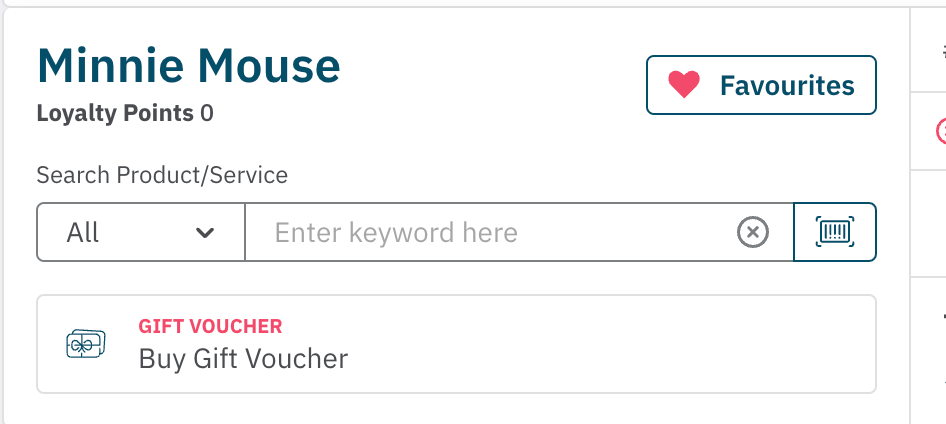
During the sale process, you can flag a product as a Favourite.
Any product that is already marked as a Favourite, will be available by selecting Favourites above the Product/Service Search.
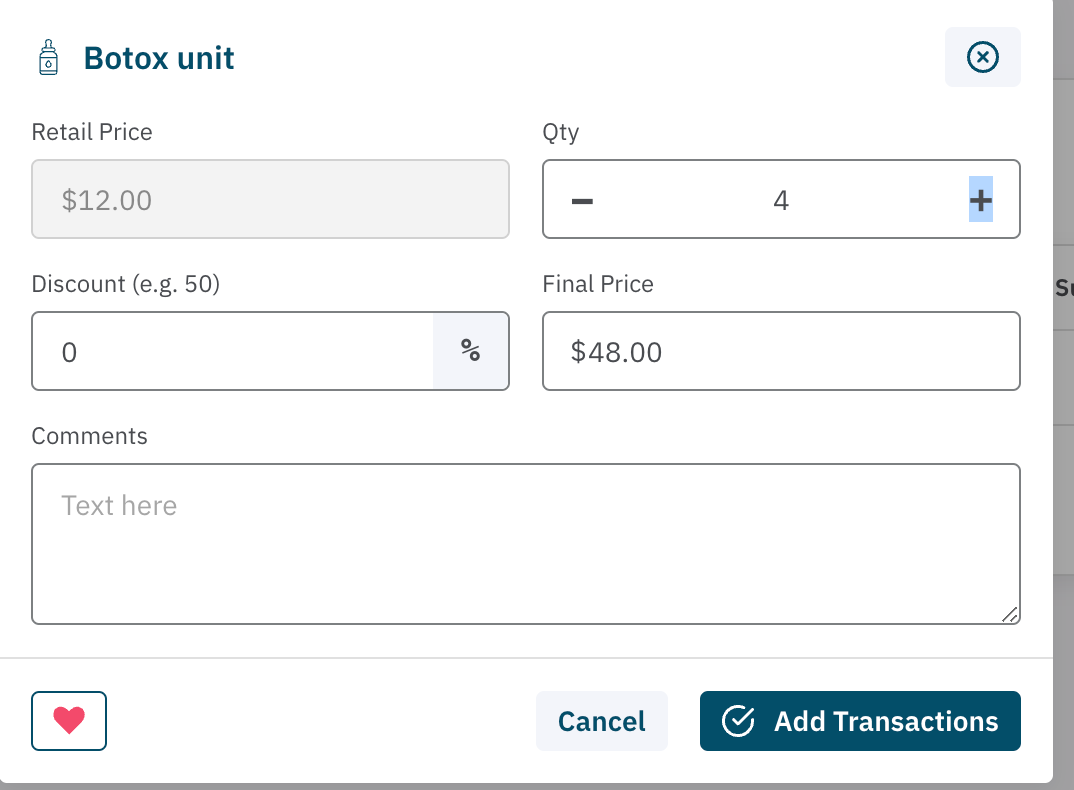
To add a Product to this list for subsequent visits, Search and locate the product. Select the heart icon in the bottom left hand corner of the product details box.
This product will now appear in both the POS and Clinical Notes Favourites list.
By using Favourite Products, you can easily customise and speed up the process for both Operators and Receptionists, ensuring quick access to frequently used products for each client.
<— PREVIOUS ARTICLE | NEXT ARTICLE—>